
Scattered client details
Requests often arrive as paragraphs, screenshots, notes, and follow-up messages instead of a clean project brief.
Freelancer Project Management Software
Freelancers already receive project details through emails, messages, notes, briefs, and supported screenshots. Text2Task turns that client context into a reviewable project and task draft with deadlines, priorities, and client information, then keeps approved work organized in a focused workspace.
Try the live demo with sample intake first, or start free when you want to save approved client work in your workspace.
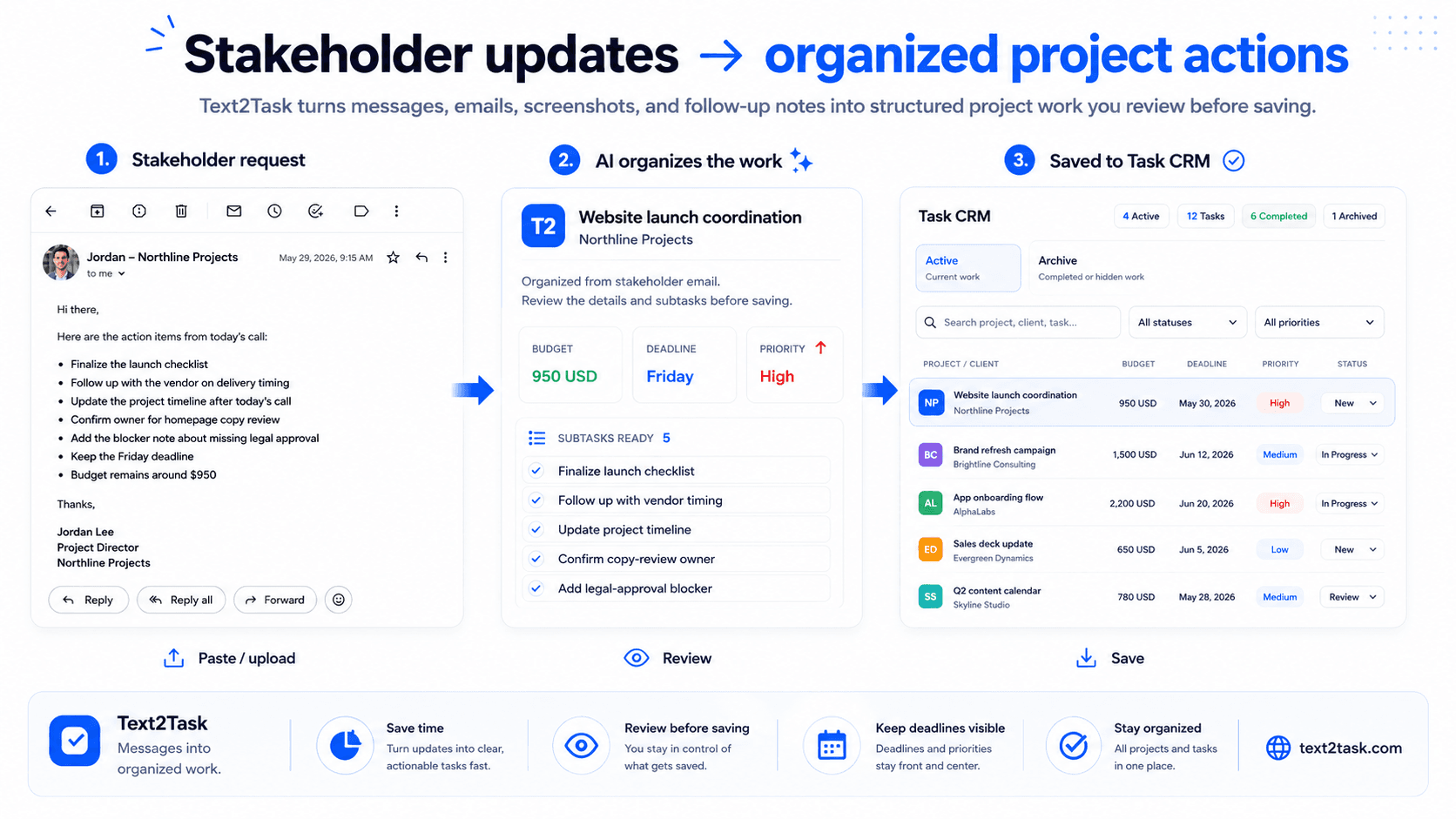
The intake problem
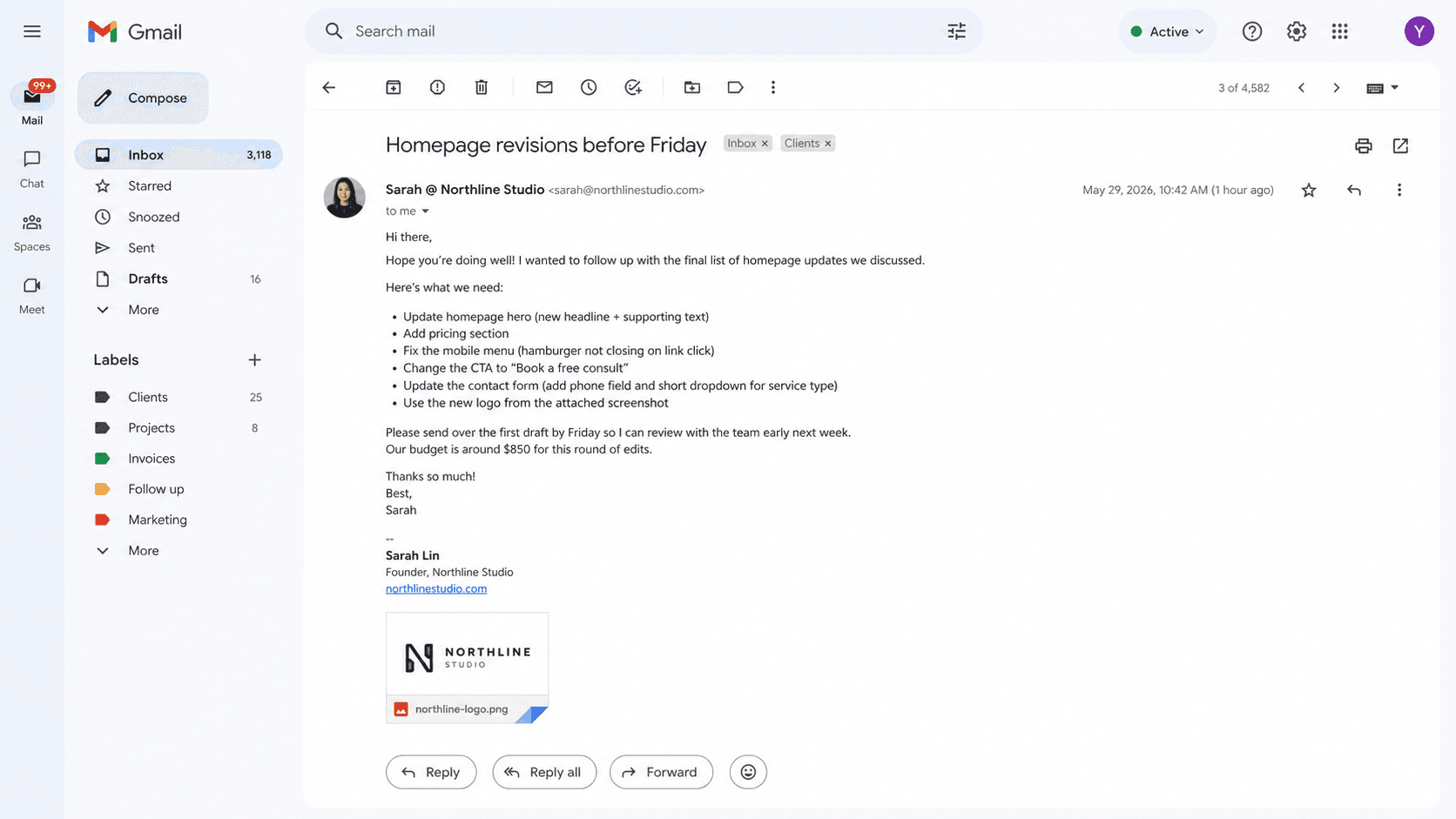
A client request might arrive through an email, a message, a note, a brief, or a screenshot. Without a simple project request management process, the useful details are often spread across paragraphs and follow-up messages, leaving the freelancer to manually rebuild the work before anything can move forward.
Requests often arrive as paragraphs, screenshots, notes, and follow-up messages instead of a clean project brief.
Freelancers still have to pull out tasks, deadlines, priorities, budgets, and client details before the work can be tracked.
Revision notes, files, links, and status changes can drift away from the project when they stay in separate conversations.
Message to workspace
Text2Task supports project management for freelancers by helping you move from raw client communication to a structured draft you can approve before it becomes saved work.
Paste email or message text, a note, a project brief, or upload a supported screenshot. Text2Task does not connect directly to your inbox or chat tools.
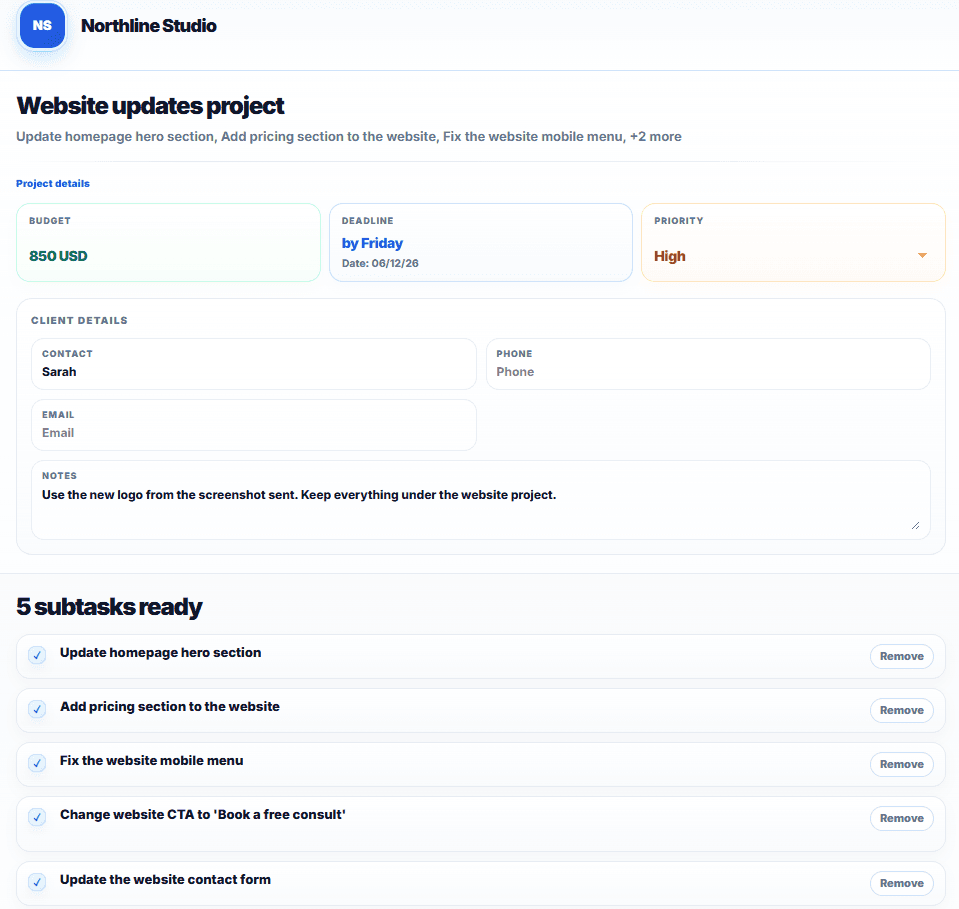
AI organizes the incoming details into a draft with project context, tasks, deadlines, priority, budget, and client information for you to review.
Edit what needs your judgment, then save approved work into a web workspace for clients, projects, subtasks, statuses, updates, history, and resources.
Built for client work
Text2Task is client project management software for freelancers who need intake, tasks, deadlines, updates, history, and resources connected after the first message is reviewed. It is narrower than a generic enterprise project-management suite and tuned for turning client requests into work you can act on.
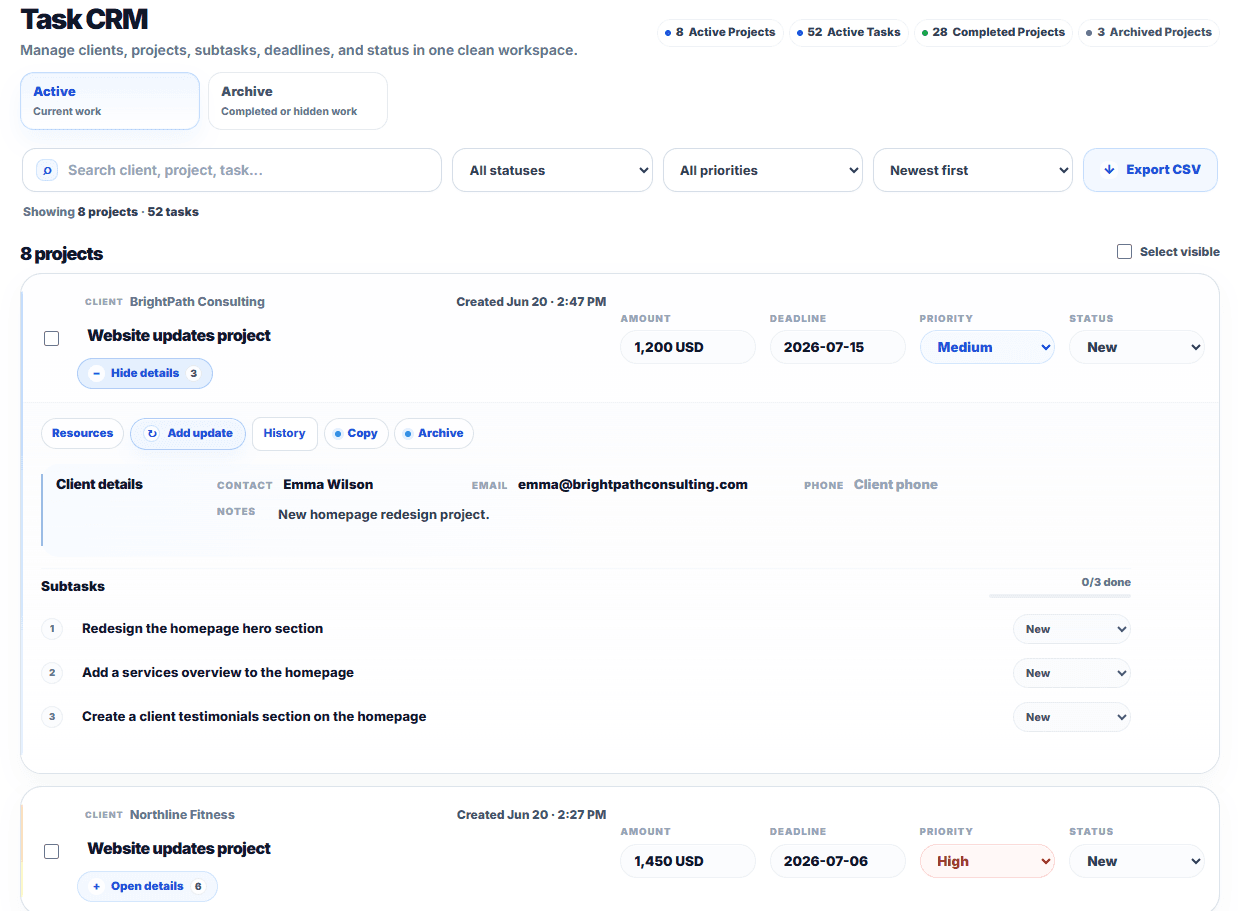
Group client work into projects with clear subtasks instead of leaving action items inside a message thread.
Keep due dates and Low, Medium, or High priority visible while you decide what needs attention first.
Track budget or amount details alongside client names, contact details, notes, and project context.
Move work through practical statuses such as New, In Progress, and Done as the project changes.
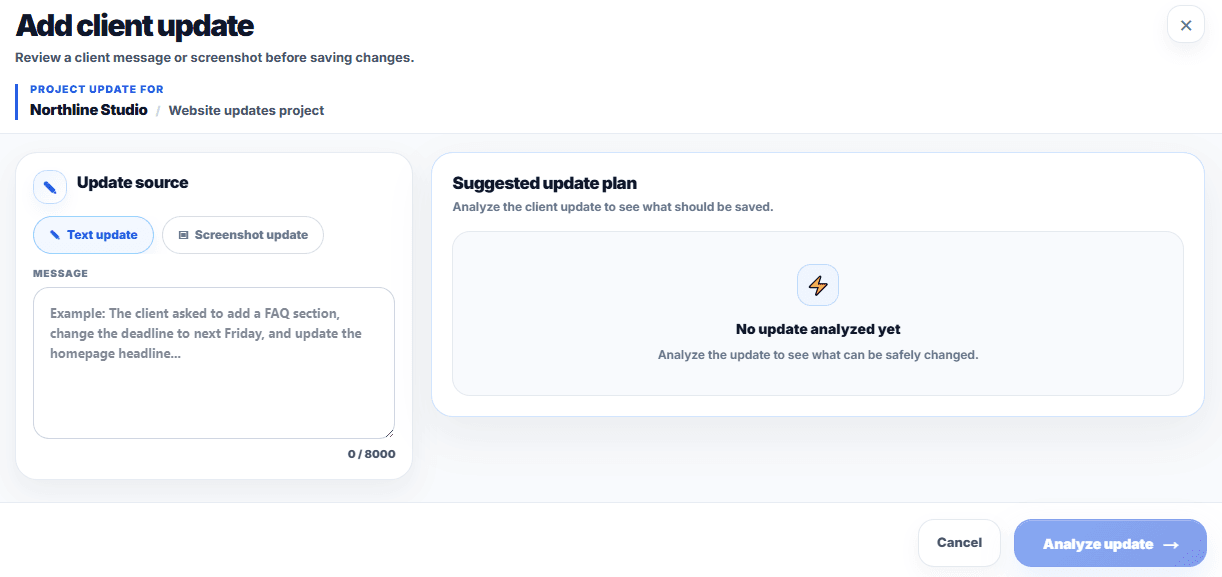
Review suggested client-update changes, apply only what you approve, and keep a history of what changed.
Attach relevant project links, uploaded files, reference material, and internal notes to the work.
Move old or completed work into the archive and restore it when you need it again.
Export task and client data as CSV on the Pro plan when you need a portable copy.
Review before save
AI output in Text2Task is a draft, not an automatic final record. You can review and edit extracted fields before saving the work, which keeps your judgment in the workflow and avoids presenting AI as perfectly accurate.
Workflow comparison
Managing client tasks should reduce repetitive setup while still leaving room for human review. Text2Task helps create a draft, but you still decide what gets saved.
| Incoming client detail | Manual workflow | Text2Task workflow |
|---|---|---|
| Long client email | Manually reread and retype tasks, budget notes, due dates, and client details into a project tool. | Paste the email text and generate a reviewable draft that you can edit before saving. |
| Revision or change request | Compare the message with existing work by hand and decide which tasks or details changed. | Review suggested updates, skip duplicates or irrelevant items, and apply only approved changes. |
| Project brief | Break the brief into a client record, project summary, task list, deadline, priority, and budget fields. | Create a structured draft from the brief, then adjust fields before the project enters the workspace. |
| Supported screenshot | Read the screenshot, copy the visible details, and rebuild the task list one field at a time. | Upload a supported image and review extracted tasks and project details before saving. |
| Follow-up project update | Search the original project, interpret the follow-up, and manually update tasks or status fields. | Analyze the update against the saved project and approve the suggested changes you want to keep. |
Focused positioning
Text2Task is focused on freelance workflow management around client requests, projects, and tasks. It is not trying to replace the financial, legal, sales, or time-tracking tools that many freelancers already use.
Use cases
Different client-service roles receive different kinds of requests. These examples show how the same reviewable workflow can support several freelance and solopreneur work patterns.
Organize website edits, launch notes, screenshots, and revision requests before details get buried.
Solo project managersTurn stakeholder notes and follow-ups into projects, subtasks, priorities, and deadlines.
Virtual assistantsStructure admin requests, client details, and operational tasks from messages and notes.
Small agenciesKeep multi-client requests clear before work moves into execution.
WordPress freelancersSeparate WordPress maintenance requests from new paid work before it's scheduled.
Freelance developersTurn bug reports, feature requests, and supplied technical details into development tasks you can review.
SEO freelancersOrganize page URLs, metadata updates, redirects, and content notes before implementation.
Shopify freelancersKeep product, promotion, storefront, and launch requests clear before store work begins.
All use casesExplore more ways freelancers and service teams use Text2Task.
Resources
Learn the habits behind better task management for freelancers: gather the client context, extract the useful details, and keep the work somewhere structured.
A practical workflow for turning scattered messages, screenshots, deadlines, budgets, and notes into clear work.
Turn Client Messages Into TasksA simple guide to finding the tasks, fields, and context hidden inside client conversations.
Manage Client Revisions FasterA focused guide for web designers organizing edits, screenshots, feedback, and launch notes.
Text2Task resourcesBrowse all practical guides for organizing client work.
Features
Turn a client email into a reviewable project and task draft.
Screenshot to TasksTurn a client-request screenshot into a reviewable task draft.
AI Task ExtractorTurn pasted client text or notes into a project and task draft.
Client Feedback to TasksCompare follow-up client feedback with an existing saved project.
Client Project TrackerShare selected project progress with your client through a private link.
Project Deadline CalendarSee project deadlines and upcoming work in one calendar built for client projects.
FAQ
Freelancer project management software helps independent professionals organize client work, projects, tasks, deadlines, priorities, files, and progress in one place. Text2Task focuses on turning incoming client details into reviewable project and task drafts.
Paste a client message, email, note, project brief, or supported screenshot. Text2Task extracts structured project and task details for you to review and edit before saving.
Yes. Paste the email text into Text2Task to create a reviewable project and task draft. Text2Task does not currently connect directly to Gmail or Outlook.
Yes. Review and edit the extracted project, tasks, deadlines, priorities, budgets, and client details before saving the work.
No. Text2Task is focused on organizing client requests into projects and tasks. It does not replace invoicing, contract, accounting, payment, or time-tracking tools.
Yes. The workspace organizes client details, projects, subtasks, statuses, updates, history, and resources so separate client work stays structured.
Paste the request, review the draft, and save organized work with the project details already structured. Start free when you are ready to keep real client projects in a workspace.