
Client messages
Turn Client Messages Into Tasks: A Simple Workflow for Freelancers
Published May 7, 2026 · Updated July 20, 2026
A single client message often contains more than one task — some stated directly, others only implied. Turning it into action means separating what is explicit from what is assumed, catching anything that is missing, and reviewing the result before it becomes part of your project.
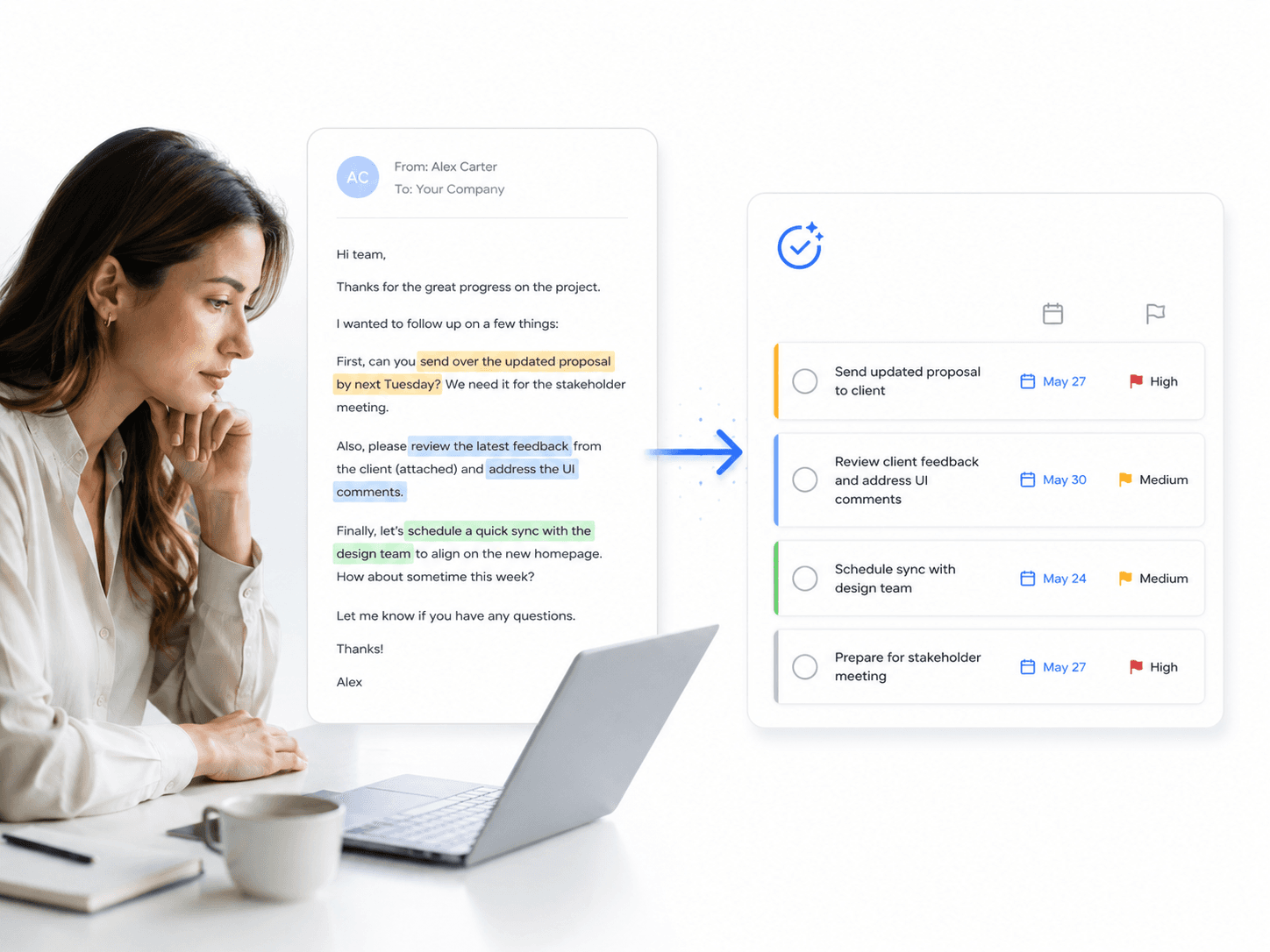
One message, several tasks
Client messages about ongoing work often read like a quick update, not a request. Here is a realistic shape one might take:
“Hey! Loved the reel from last week. Can we push 2 more posts before the launch on the 14th? One should be a countdown story and the other a carousel showing before/after results. Also, let’s repost the testimonial from Jamie since it did so well last time. Let me know if you need anything from me!”
Nothing here is labeled “task 1” or “deadline.” The requests are wrapped in friendly context, a compliment, and a callback to a previous post — which is exactly how real client messages usually read.
What is explicit and what is implied
Explicit, stated directly in the message:
- Two new posts before the launch on the 14th
- One post is a countdown story
- One post is a carousel with before/after results
- Repost the testimonial from Jamie
Implied, but not stated outright:
- The work is tied to a launch, which suggests high priority
- “Last time” and “did so well” reference a previous post you would need to locate
- No specific caption, hashtags, or posting time is given
What is missing — and what to ask
Before scheduling anything, two details are worth confirming:
- Which month is “the 14th”? A relative date like this only makes sense next to the date the message was sent.
- Should the testimonial repost go out before or after the launch — and does it reuse the same caption as last time, or a new one?
Saving the request with these gaps still open just moves the confusion downstream. A quick reply to the client, or a note attached to the task, keeps the ambiguity visible instead of guessed away.
From message to structured tasks
Separated out, the same message becomes three tasks and one open question:
- Task — Create a countdown story for the launch. Deadline: before the 14th (confirm month). Priority: High.
- Task — Create a before/after results carousel. Deadline: before the 14th (confirm month). Priority: High.
- Task — Repost Jamie’s testimonial. Deadline: not specified. Priority: Medium.
- Open question — Confirm the month for “the 14th” and whether the repost goes before or after launch.
Extract the useful fields
Whatever the message, the same fields make it actionable:
- Client name
- Task details
- Deadline
- Budget or amount
- Priority
- Notes and context
Not every message will supply every field — a social post request may skip budget entirely, and that is fine. The goal is to capture what is actually there, not to invent what is missing.
Review before you save
An extracted task list is a draft, not a finished plan — especially when parts of the message were implied rather than stated. Review each task against the original message, confirm anything that was assumed, and only then save it to your project. This matters most when a deadline is ambiguous, like a bare day-of-month with no stated month.
How Text2Task speeds this up
Text2Task helps turn messy client messages and screenshots into organized tasks. The AI creates a structured preview, and you stay in control by reviewing and editing before saving anything. It does not guarantee that every implied detail is caught correctly, which is why the review step stays part of the workflow, not an afterthought.
For a message that is mostly plain text, explore the AI Task Extractor to see how pasted text becomes a reviewable project and task draft. If the message is about ongoing content work, see how this applies for social media managers.
Working through a backlog of requests from several clients instead of one message? See how to organize client requests as a freelancer.
Try the workflow with your next message
Paste a client message — including anything that is only implied — and see it turned into a structured task preview you can review, question, and edit before saving.